Upgrading to Neotys Design Studio 5.5 and its minor versions makes it possible to use the new features of the product and to upgrade the associated test projects. This new version reinforces the competitive advantage gained by previously released versions. A number of new features enables to perform realistic and effective tests. For more information, see the What's New section on the Neotys website.
Upgrading to a major version or to a minor version consists in:
Before migrating to Neotys Design Studio 5.5 and its minor versions, it is recommended to secure the projects:
C:\Users\<user>\Documents\NeoLoad Projects\ directory can be copied in another backup directory.The latest version of Neotys Design Studio can be downloaded from the Neotys website.
Neotys Design Studio can be installed as described in Install the Controller.
Every major and minor version of Neotys Design Studio is installed in a directory which is different from all other versions. It is highly recommended to use the default directory, because it makes it possible to use one version of Neotys Design Studio or the other, until the projects are safely migrated. Although different versions of Neotys Design Studio can be installed on the same machine — but in different directories —, only one instance of Neotys Design Studio can be started at a time, whatever the version.
The installed version of Neotys Design Studio requires a new activation of the license, as described in Manage licenses.
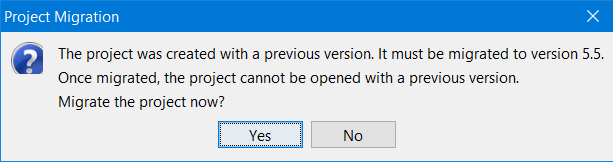
Migrating projects after upgrading Neotys Design Studio is necessary to benefit from all the new functions available in the new major or minor version installed. The project migration process is fully automated. When a project is opened in Neotys Design Studio, it detects the creation version and converts it.
Framework parameter definitions are stored in the conf/frameworks sub-directory of the user directory, as described in Configuration files. Each new minor version has its own specific directory, which is created the first time Neotys Design Studio starts.
Any framework parameters created by the user and left over from an earlier version are copied to the framework parameters directory in the new version.
However, Neotys Design Studio framework parameters (.NET, AMF, E Business, ICEFaces, JSF, LightStreamer, RTMP, RTMPT, Siebel, Silverlight and Workspace) do not migrate; they take their default values in the new version.
For more information about frameworks, see Frameworks.