The Proxies list group box shows the proxies created as described in Add a proxy.
Unless specified otherwise, this setting will be applied to single zones as explained in Applications Proxy.
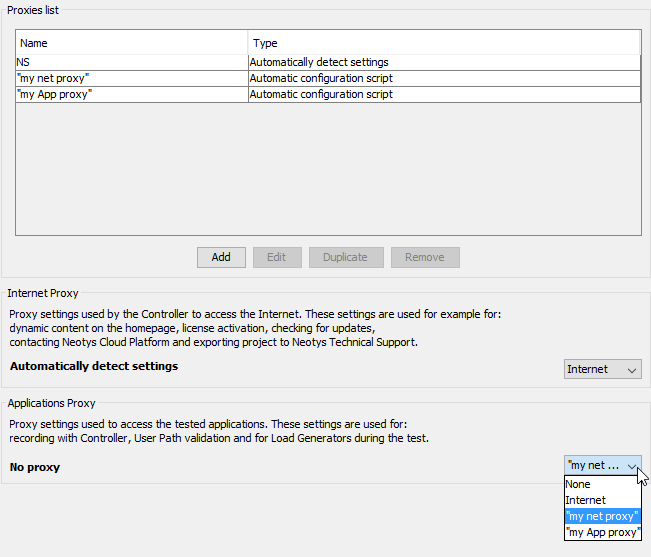
You have created several proxies, you need now to link them to the use you want to make.
Follow the steps below related to the type of proxy you want to use.
You may need an Internet proxy as Neotys Design Studio requires an Internet connection for tasks such as: access the Cloud platform, check for updates, activate the license online, add dynamic content to the homepage, and export projects to the Neotys Technical Support.
The Proxies list group box shows the proxies created as described in Add a proxy.
You may need an Applications proxy to enable Neotys Design Studio to communicate with the servers of the applications to test (record the application, validate the User Path, etc.).
The Proxies list group box shows the proxies created as described in Add a proxy.
Unless specified otherwise, this setting will be applied to single zones as explained in Applications Proxy.