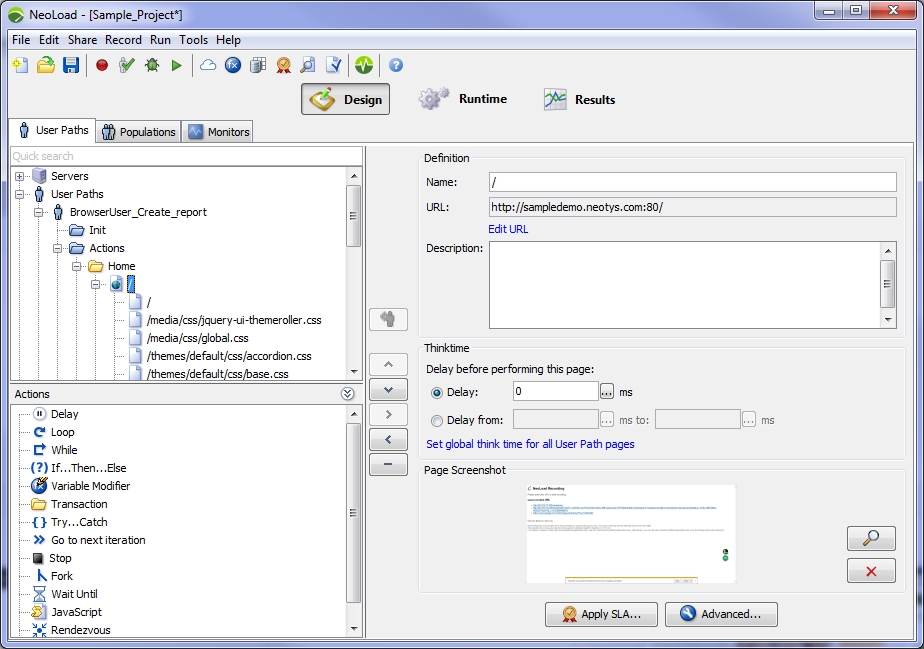
The web page is the page as rendered by a web browser. It consists in the HTML page and all its sub-components, such as image files and CSS style sheets.
recorder.screenshot.enabled key in the [GUI] section of the <Neotys Design Studio>/conf/Controller.properties file to false.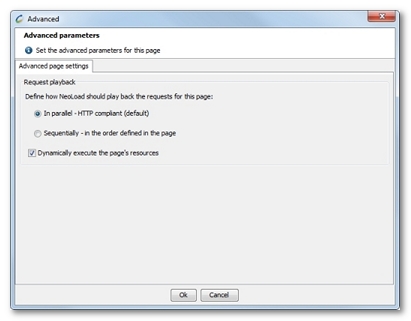
For specific needs, you may force Neotys Design Studio to play the requests sequentially and according to their order in the page definition contained in the User Paths.
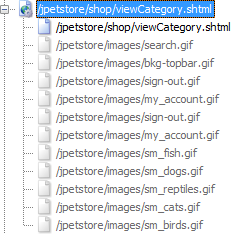
Warning: Neotys Design Studio retrieves resources present in the HTML code. Resources referenced by CSS style sheets and JavaScript scripts are ignored.
If the first response is a redirect, Neotys Design Studio automatically sends the request to retrieve the HTML page. So, if the number of redirects has changed between recording and playback, Neotys Design Studio automatically handles the redirects.
Dynamically-executed requests do not provide detailed statistics. In Runtime and Results views, their statistics are grouped together in a specific request named <dynamic resources> under the page.
If the page contains requests that are not resources—for example a request originating from client-side code (JavaScript, Flash, and so on)—these requests can be flagged as being non-dynamic. The Enabled command in the action pop-up menu must be selected to make the action active. The action is no longer grayed-out and Neotys Design Studio can execute it as a standard request.
When checking the validity of a User Path containing dynamic pages, the grayed-out requests (to be executed dynamically by Neotys Design Studio) do not show up in the User Path tree. However, the dynamic results are displayed in the table.