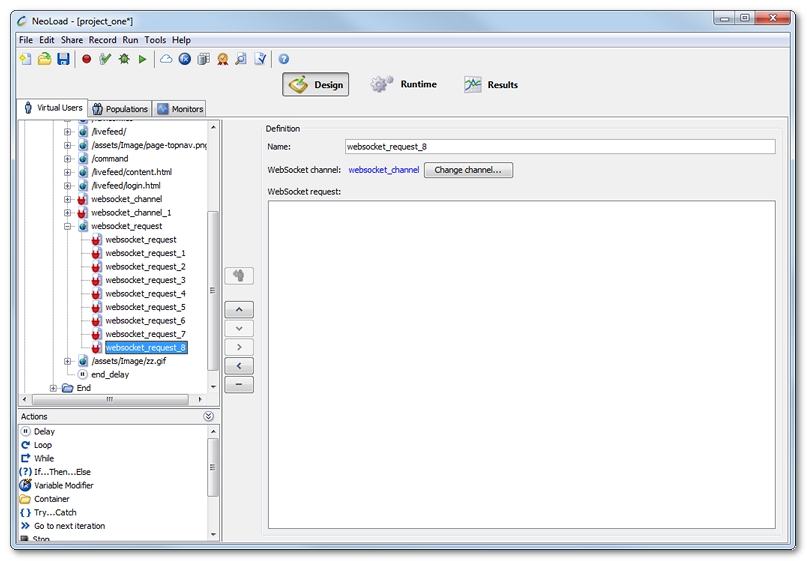
This section describes how to create a WebSocket action from the ground up. To record a request using an existing client, see Record a WebSocket request.
A right-click on a Container (Transaction, page, etc.) gives access to:
A WebSocket action is created.
Name: The default websocket_request incremented name can be modified.
WebSocket channel: Because a WebSocket action requires a WebSocket channel, Neotys Design Studio automatically associates the first channel found in the scenario. The associated channel is displayed as a link to access it directly in the design view. When there is no channel available or when it is necessary to assign another channel, a click on the Change channel button makes it possible to select another channel.
WebSocket request: This is the call to the WebSocket application, for example CONNECT.