Export the project to a JAR file
This section describes how to export the Java project that implements the Custom Action API.
- To export the project to a JAR file
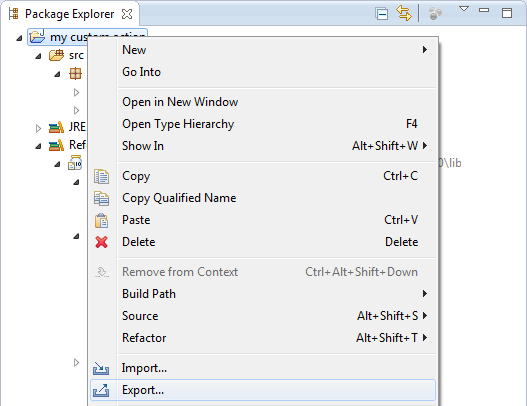
- In Eclipse, right-click the Java project and select Export.
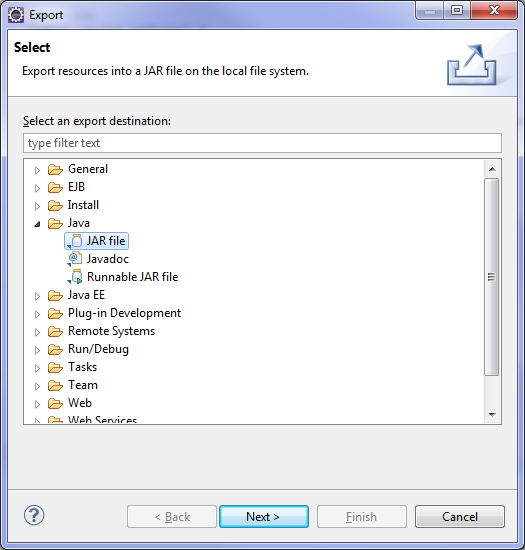
- Browse to Java > JAR file and click Next.
- In the JAR Export screen, browse to the JAR file where you want to export the project in Select the export destination.
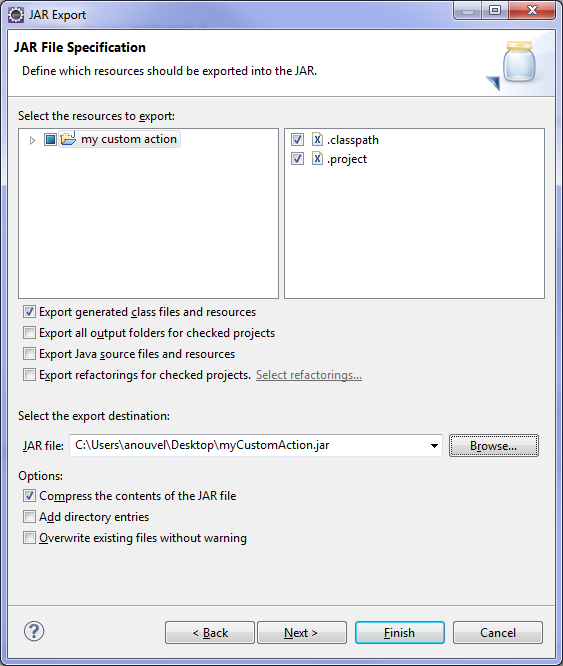
- Click Finish to validate the export.
The JAR containing the Custom Action API implementation is now ready to be moved:
- in the
lib/extlib directory of the NeoLoad project if the project is collaborative or will be exported to NeoSense - in the
extlib directory of your <install-dir> folder if the Custom action will be used in several projects
- Restart Neotys Design Studio to take the modifications into account.