com.neotys.extensions.action.engine.ActionEngine.MyActionEngine.MyActionEngine class.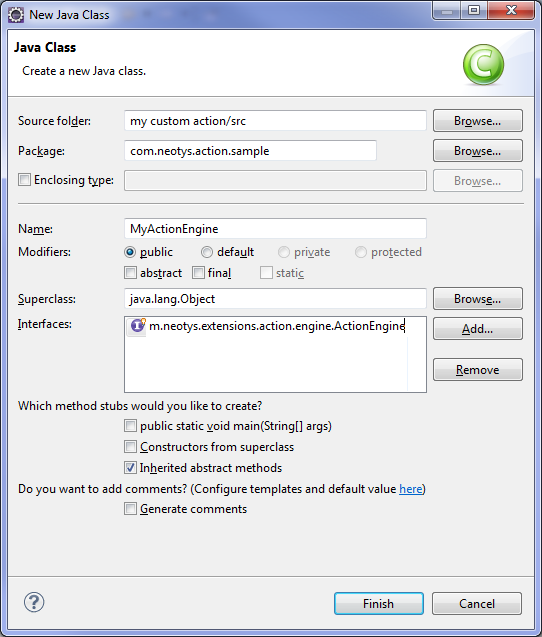
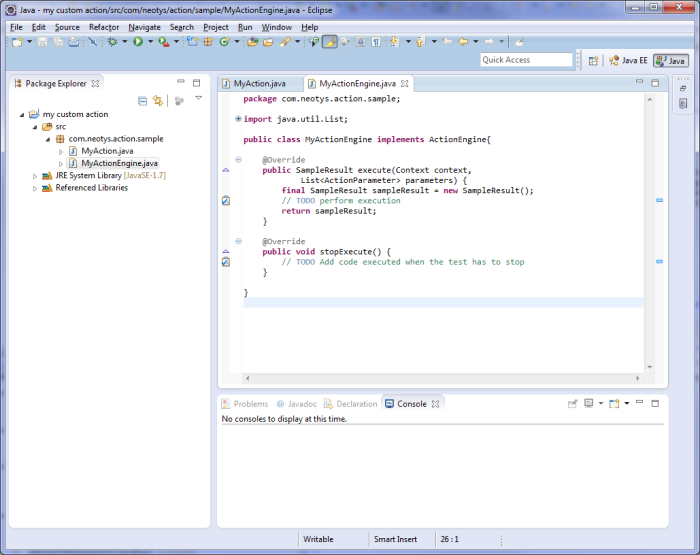
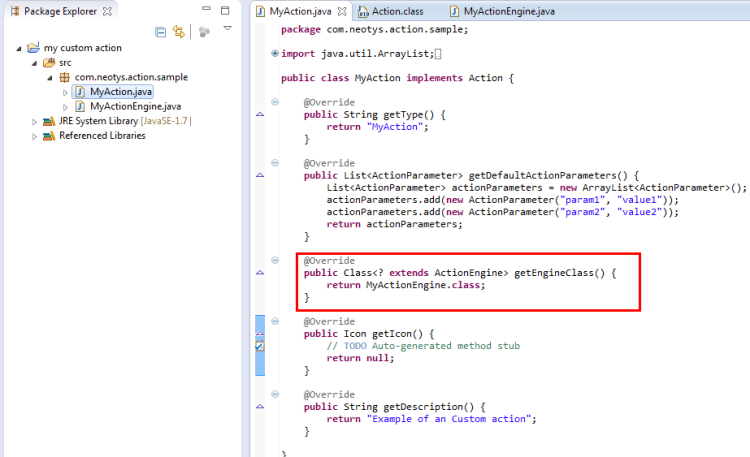
When an Action is played, the ActionEngine linked will be called.
This section describes how to create and link an ActionEngine class in Eclipse.
com.neotys.extensions.action.engine.ActionEngine.MyActionEngine.MyActionEngine class.
When an Action is played, the ActionEngine linked will be called.