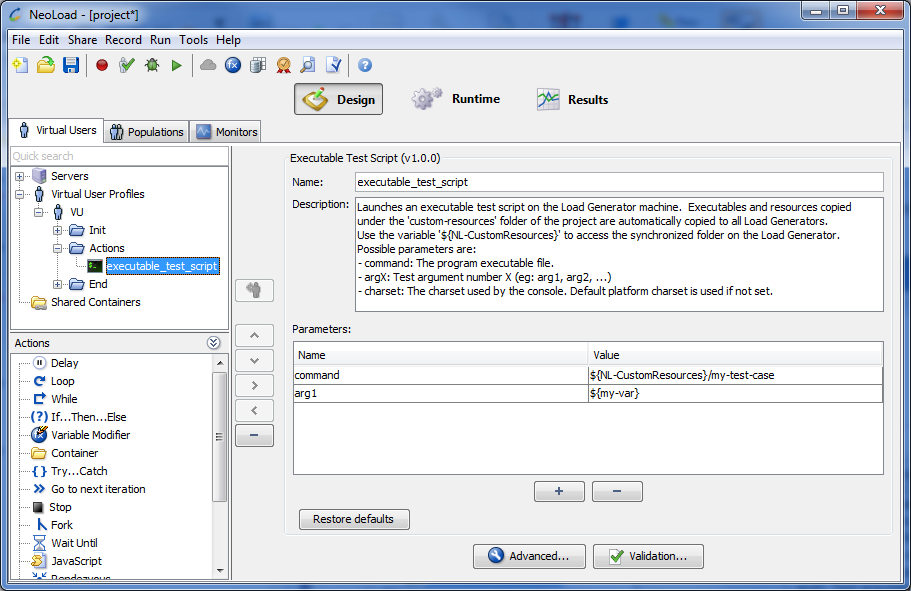
The Executable Test Script Advanced action enables you to launch an executable test script on the machine executing the User Path or the NeoSense Location.
Parameters
command: The program executable file.
For example: ${NL-CustomResources}\my-test-case
argX (optional): Test argument number X
charset (optional): The charset used by the console. Default platform charset is used if not set.
Java Test Script
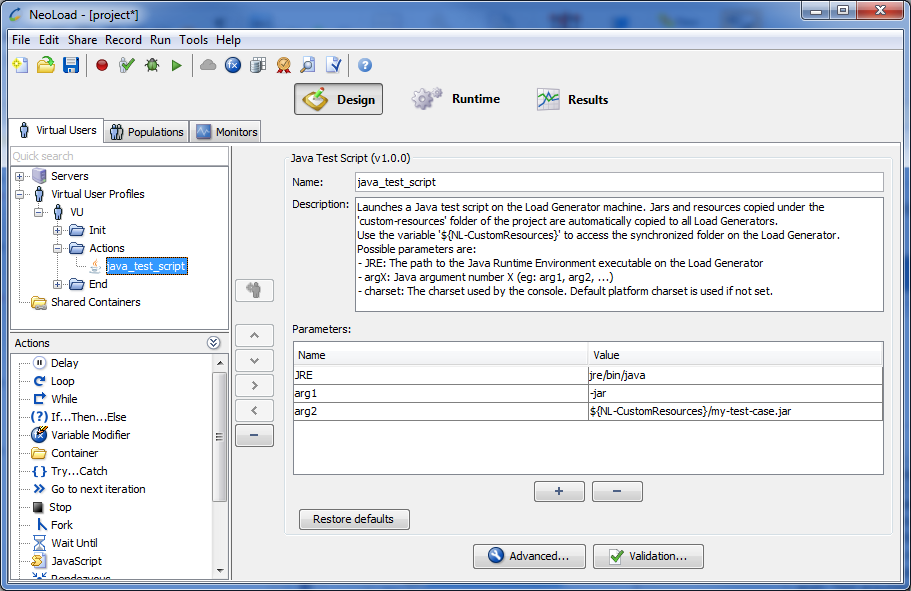
The Java Test Script Advanced action enables you to launch a Java test script on the machine executing the User Path or the NeoSense Location.
Parameters
JRE: The path to the Java Runtime Environment executable on the Load Generator.
argX: Java argument number X
charset (optional): The charset used by the console. Default platform charset is used if not set.
Warning: The default JRE used by the Java Test Script Advanced action is the JRE of Neotys Design Studio. If you are using NeoLoad 64-bit and if a 32-bit JRE is required for the libraries of the third-party tool you are using (such as Jamo), make sure to install a 32-bit JRE on the machine and update the JRE parameter to point to the correct JRE.
Example
An example of executing a Java test case:
JRE: jre\bin\java
arg1: -jar
arg2:${NL-CustomResources}\my-test-case.jar
Perfecto Mobile
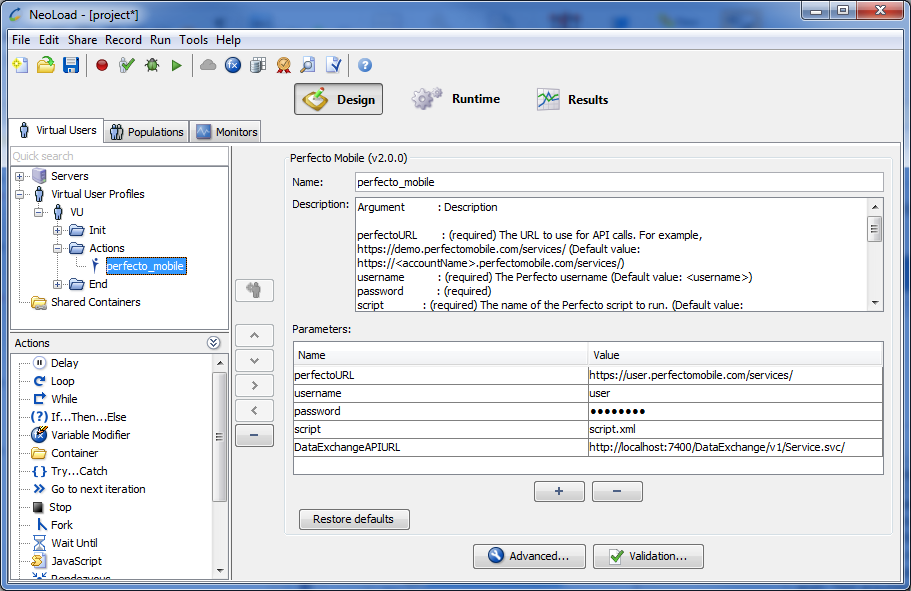
Independent from hardware platforms, OS and browser, Perfecto Mobile enables creating and executing scripts on a wide range of physical and online virtual hardware.
A lot of indicators and measures are returned, that Neotys Design Studio displays in the Results section.
For more information, refer to the Results section:
Test Summary, option External Data, see External data
Values, View by Element Type: External Data, see Values
Graphs, External Data tab, see Plot a graph
Details, External Data section, see Details
Information: License module "DataExchangeAPI" is required to use the data coming from the Perfecto module.
Parameters
perfectoURL: The URL to use for API calls.
For example: https://demo.perfectomobile.com/services/