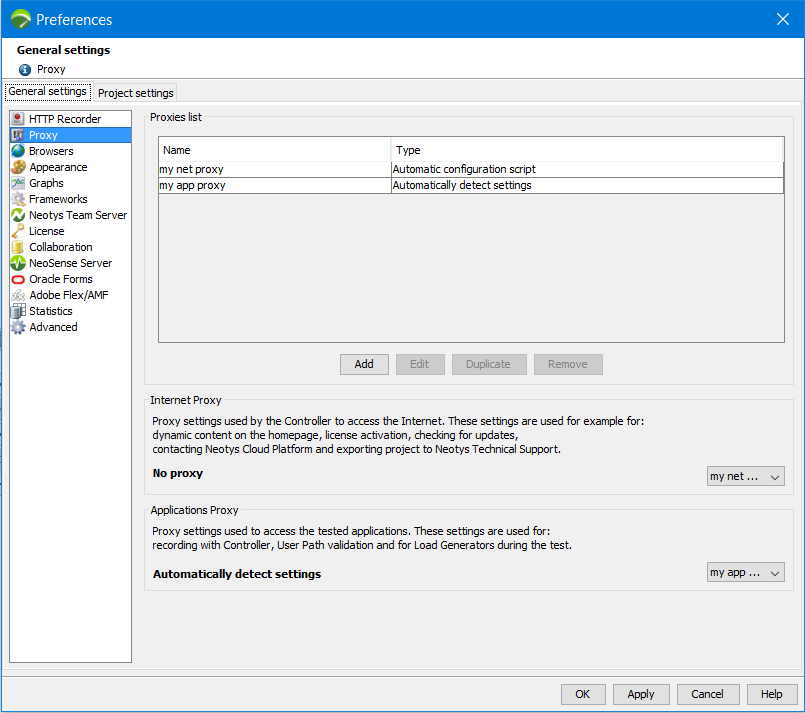
The Proxy section enables you to add and configure, edit, duplicate and remove proxies. It is also here that you can pick a proxy you created to be used as an Internet proxy and/or as an Applications proxy.
You can add one or as many proxies as you need and use it/them for different types of connections needed by Neotys Design Studio:
Internetas Neotys Design Studio requires an Internet connection for tasks such as: access the Cloud platform, check for updates, activate the license online, add dynamic content to the homepage, and export projects to the Neotys Technical Support.
Applicationsto enable Neotys Design Studio to communicate with the servers of the applications to test (record the application, validate the User Path, etc.)
Neotys Team Server as Neotys Design Studio requires an Internet connectionto access NTS for license management. Information: This proxy cannot be used to access NTS for collaboration.
Collaboration as Neotys Design Studio requires an Internet connectionto access external SVN servers (other than Neotys Team Server)
NeoSense Server as Neotys Design Studio requires an Internet connectionto access to NeoSense