Neotys Design Studio 5.5 can be started in non-privileged mode with Windows. This is useful when the Neotys Design Studio 5.5 user is not the administrator of the Controller machine. To open the graphical interface of Neotys Design Studio 5.5 in non-privileged mode, it is necessary to double-click the file Neotys Design Studio 5.5\bin\NeoLoadGUI_NoPrivilege.exe
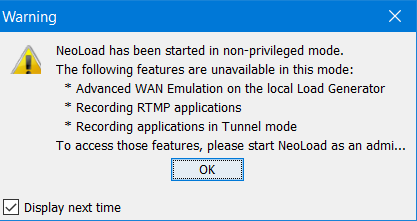
When started in non-privileged mode, Neotys Design Studio 5.5 displays a message box to warn that some Neotys Design Studio 5.5 functions are unavailable:
Neotys Design Studio 5.5\bin\NeoLoadGUI_NoPrivilege.exeBy default, Neotys Design Studio 5.5 is started as a normal user with OS X.
As a normal user, some NeoLoad functions are unavailable:
Activating these functions is considered advanced usage and requires running NeoLoad as the "root" user.
Neotys Design Studio 5.5/bin/advanced/NeoLoadGUIAsRoot.appWhen NeoLoad is run on OS X as root, preferences, logs files, and project files are specific to the "root" user and separate from the currently logged-in user. Any projects saved as the root user are readable by normal users but cannot be modified.