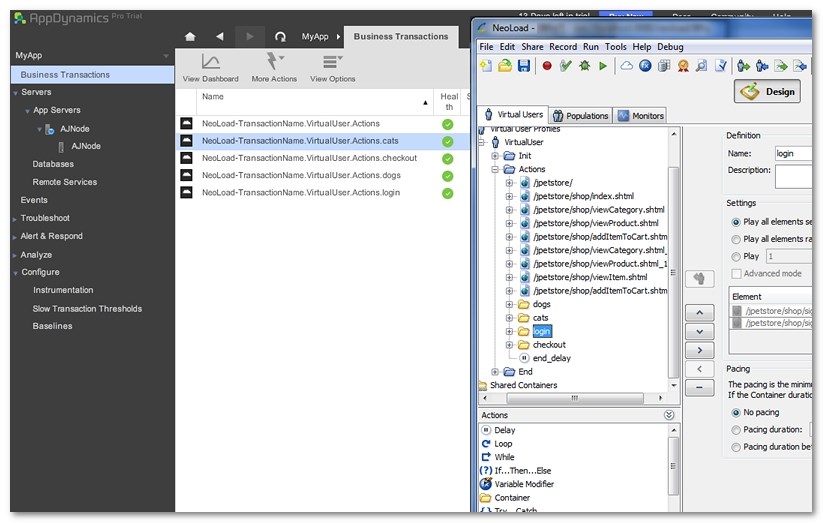
When the AppDynamics/Neotys Design Studio integration module is configured and when the Neotys Design Studio naming settings are declared in AppDynamics, starting a load test in Neotys Design Studio displays the business transactions in AppDynamics. AppDynamics monitors business transactions to determine the health of the application with metrics.
In AppDynamics, a click on Business Transactions gives access to the full business transaction list with summary metrics.
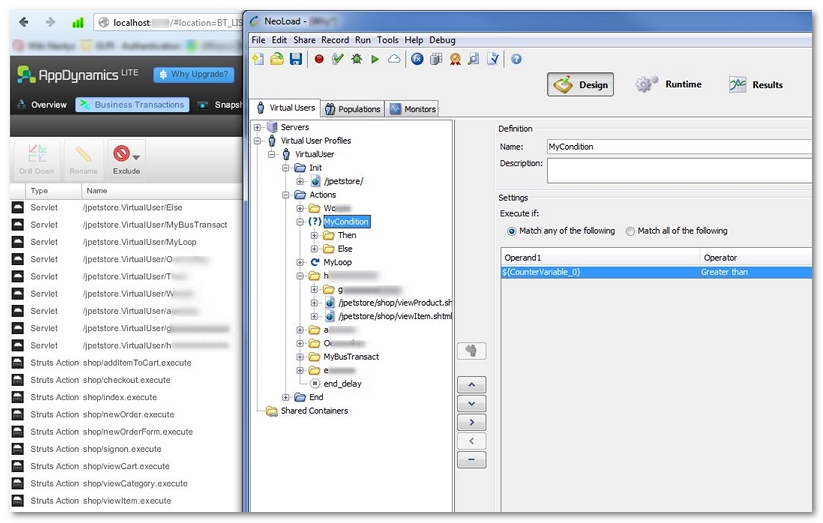
In AppDynamics Lite and AppDynamics Pro, the Business Transactions list is a view of the top business transactions in the application. The Neotys Design Studio requests are easy to identify with the names specified in Configure the Neotys Design Studio module for AppDynamics.
fish and chips é 한국어 in Neotys Design Studio is displayed as fish+and+chips+%C3%A9+%ED%95%9C%EA%B5%AD%EC%96%B4 in AppDynamics. For more information, see http://www.url-encode-decode.com.