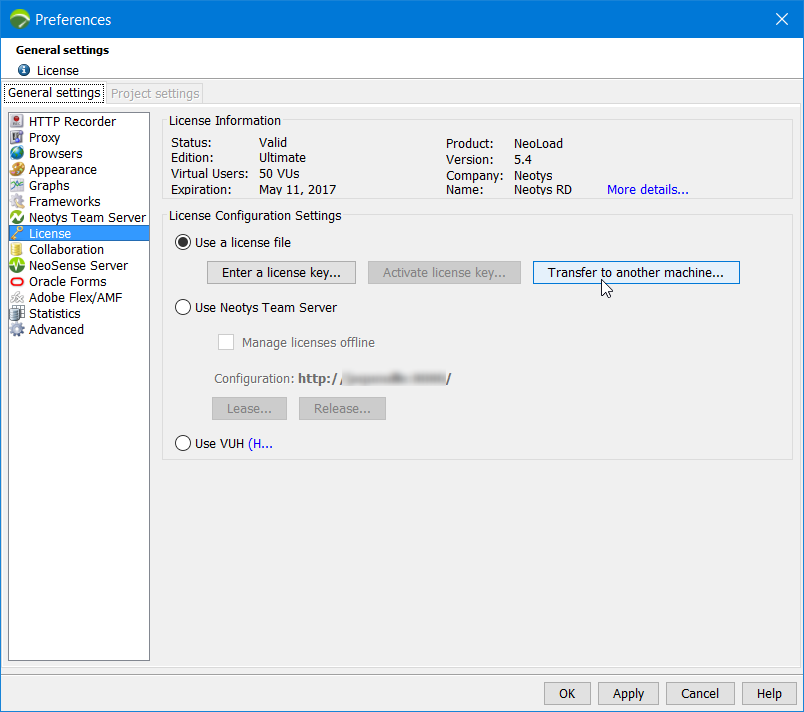
An activated license key is associated to one machine. However, to meet specific needs (transferring NeoLoad onto a production machine, reinstalling NeoLoad, and so on), the license key can be transferred onto another machine, with the following steps:
The license key management tool helps follow the steps to transfer a license key. The Help > License management > License section > Use a license file option must be chosen. Clicking the Transfer to another machine button opens up the NeoLoad License Deactivation wizard.
The folder where NeoLoad creates the license-inactivation.req file to request the deactivation must be specified. Then clicking Next displays the confirmation screen.
The license-inactivation.req file must be sent to the Neotys central license server. It must be attached in the Web form on the Deactivate a license page or to an email addressed to activation@neotys.com.
After the request is checked, the Neotys central server sends back an email saying that the license file can be used on the target machine. For more information, see Install a standard license key and Activate a standard license key.
license-inactivation.req file is created. You must send the file, now or later, in:Wait for the reply from the Neotys central license server saying that the license file can be used on the new machine.