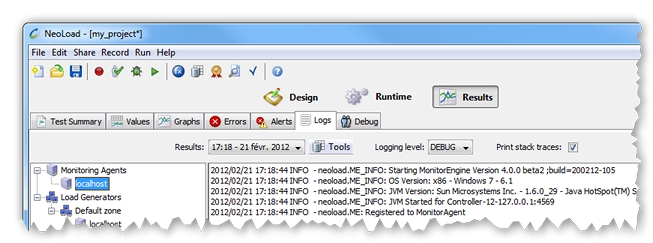
For every test, NeoLoad records the performance of the Monitoring Engines managed by their Monitoring Agents.
The log files are created on the machine hosting a Monitoring Engine by its Agent. They are archived and collected by the Controller into the test project in order to be displayed in the Results section.
The logs of the Monitoring Engines for a project are stored, per host machine, in a monitorengine-<host>.zip C:\Users\<user>\Documents\NeoLoad Projects\<project>\results\<result_uid>\logs\
collected.lg.logs.size.maxC:\Program Files\Neotys Design Studio 5.5\conf\monitoringAgent.propertiesollected.engines.infos.timeoutC:\Program Files\Neotys Design Studio 5.5\conf\controller.propertiesC:\Users\<user>\Documents\NeoLoad Projects\<project>\results\<result_uid>\logs\ monitorengine-<host>.zip