 procedure.
The SQL Statement Advanced action executes SQL statements. It enables you to perform administrative tasks like cleaning a database after a test. It also allows you to get business-related metrics that you can monitor, for example the number of items in a work queue or the number of checkouts during the last minute.
The action produces an XML output that includes a status of the executed SQL statement as well as an optional section containing the results of the query. The query results are also stored in Neotys Design Studio variables.
Information: In case of connection with Microsoft SQL Server 2005, you need to replace the Microsoft SQL Server 4.1 JDBC Driver with the Microsoft SQL Server 4.0 JDBC Driver by following this procedure.
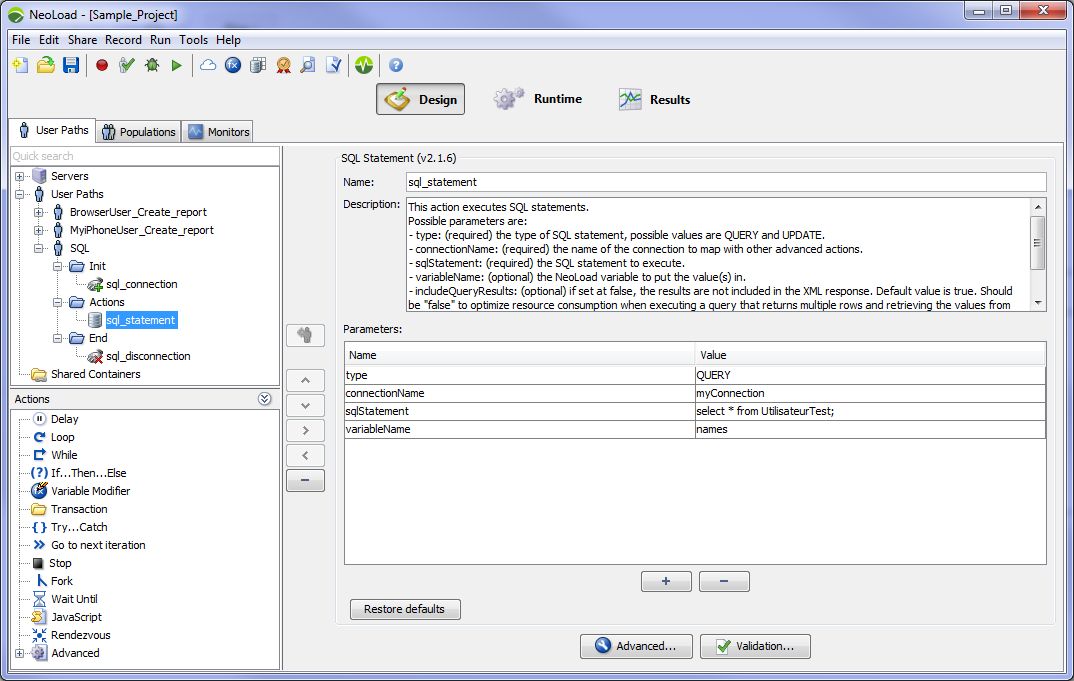
Parameters
QUERYUPDATEVariables
When executing a query, be careful to specify the variable name, i.e "sqlEntries${sqlEntries}
columnNamecount(*)countThe query result values will be retrieved in the following variables:
Examples
An example of removing all lines of a table:
UPDATEmyConnectionDELETE FROM table_nameAn example of getting number of rows:
QUERYmyConnectionSELECT count(*) FROM table_namecountTableNameIn this example, since the query will return one row of one column, only the countTableName
An example of SELECT with a custom driver:
QUERYmyConnectionSELECT * FROM records WHERE date='2014-11-11'recordscom.ibm.db2.jcc.DB2DriverIn this example, the following multi-valued variables will be created : records_idrecords_date records_id_1records_id_countrecords_id_matchNrrecords_date_rand
The SQL Connection Advanced action creates a database connection.
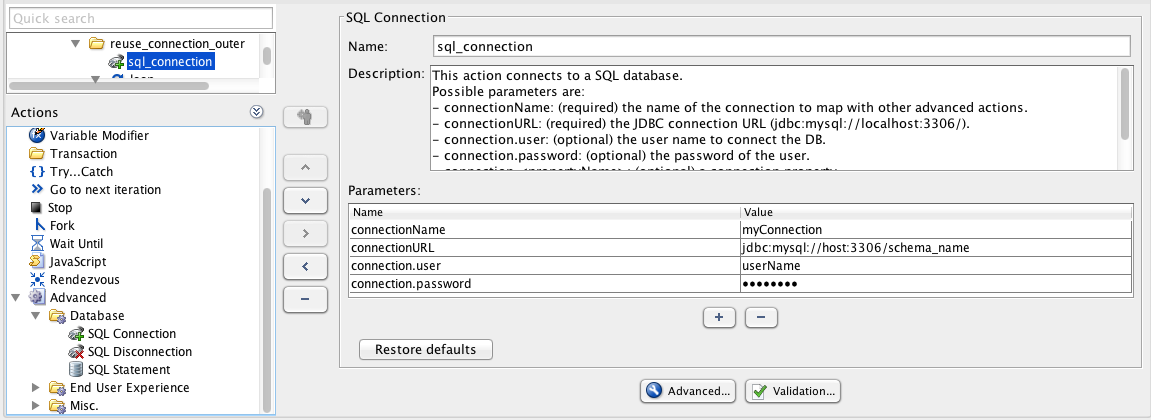
Parameters
jdbc:mysql://localhost:3306/Examples
An example of creating a connection to a MySQL database:
jdbc:mysql://host:3306/mysqlmy_user_namemy_passwordAn example of creating a connection to a DB2 database:
jdbc:db2://host:50000/dbmy_user_namemy_passwordcom.ibm.db2.jcc.DB2DriverThe SQL Disconnection Advanced action closes a previously opened database connection.
Parameters
Example
An example of closing the connection "myConnection".
myConnection