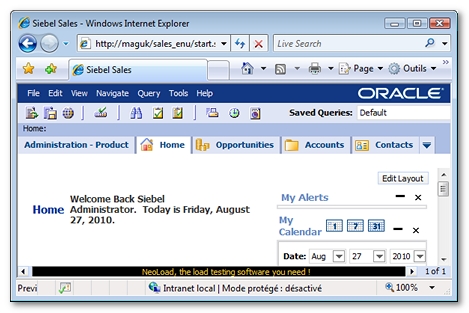
Siebel applications have a real-time message broadcasting feature that can send specific information to certain users in particular. The information usually is displayed at the bottom of the application screen as scrolling text; this is known as the message bar. Each client connected to the Siebel application sends a polling request at regular intervals to update the message bar settings and content.
After the recording, a User Path using polling to update the message bar is displayed as follows.
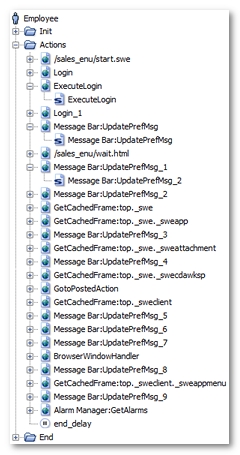
Message Bar:UpdatePrefMsg_XXX.Once processed by the Neotys Design Studio Post-recording wizard, the User Path is modified as follows.
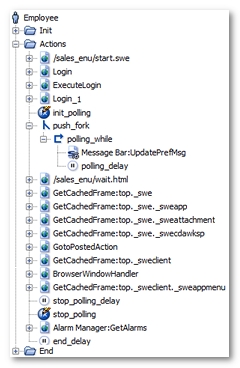
Neotys Design Studio has made the following noticeable changes:
Message Bar:UpdatePrefMsg for example). This request has been placed in a loop (polling_while for example), which continues to loop until the NL-stopPolling variable generated by Neotys Design Studio becomes true. Lastly, the loop itself has been placed in a secondary execution thread using a fork action (push_fork for example). For more information, see Polling requests.init_polling initializes the NL-stopPolling variable, with the false value, to have the polling function work on every Virtual User iteration.polling_delay polling delay is the average of the time intervals between two polling requests in the original User Path.stop_polling variable modifier stops the polling loop by modifying the value of the NL-stopPolling variable.